3D Sensors
14 sensors available for 3D workflows.
How sensors fit into a chain
Sensors detect input, state , collisions, timing, and other conditions. They begin a chain but do not perform gameplay actions by themselves.
- Choose the event or condition to detect.
- Configure filters, thresholds, or stored values.
- Connect the sensor to a Controller , then to one or more Actuators.
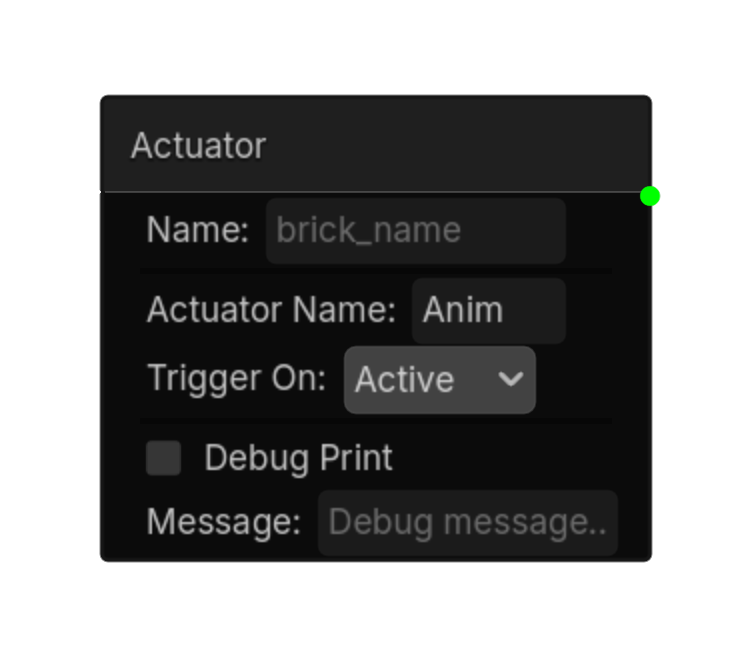
Actuator
Fires TRUE when the named actuator on this node matches the chosen state.\nThe actuator must have an instance name set.
Options
| Property | Details |
|---|---|
actuator_name
|
Actuator Name |
trigger_on
|
Trigger On
Choices: Active,Inactive Default:
active
|
Using this brick
Typical uses
- Start a logic chain when fires TRUE when the named actuator on this node matches the chosen state.\nThe actuator must have an instance name set.
- Gate an action through a Controller so multiple conditions can be combined.
- Use it as the event or condition at the beginning of a reusable chain.
Example chain
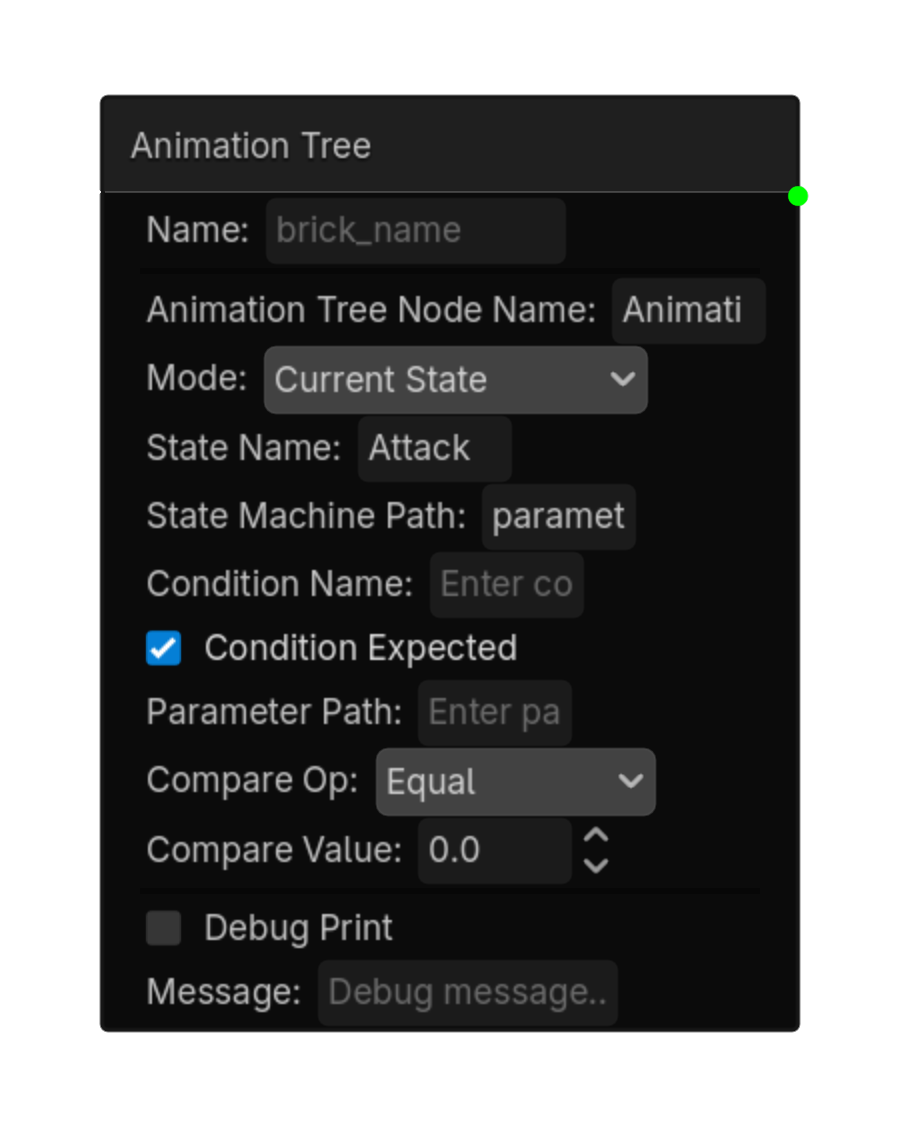
Animation Tree
The AnimationTree is found by typed node name Modes: Current State: True when the state machine is in a specific state Condition: True when a boolean condition matches Parameter Compare: True when a parameter meets a comparison condition
Options
| Property | Details |
|---|---|
animation_tree_node_name
|
Animation Tree Node Name
Default:
AnimationTree
AnimationTree node name |
mode
|
Mode
Choices: Current State,Condition,Parameter Compare Default:
current_state
|
state_name
|
State Name |
state_machine_path
|
State Machine Path
Default:
parameters/playback
|
condition_name
|
Condition Name |
condition_expected
|
Condition Expected
Default:
true
|
parameter_path
|
Parameter Path |
compare_op
|
Compare Op
Choices: Equal,Not Equal,Greater,Less,Greater Equal,Less Equal Default:
equal
|
compare_value
|
Compare Value
Default:
0.0
|
Using this brick
Typical uses
- Start a logic chain when the AnimationTree is found by typed node name Modes: Current State: True when the state machine is in a specific state Condition: True when a boolean condition matches Parameter Compare: True when a parameter meets a comparison condition.
- Gate an action through a Controller so multiple conditions can be combined.
- Use it as the event or condition at the beginning of a reusable chain.
Example chain
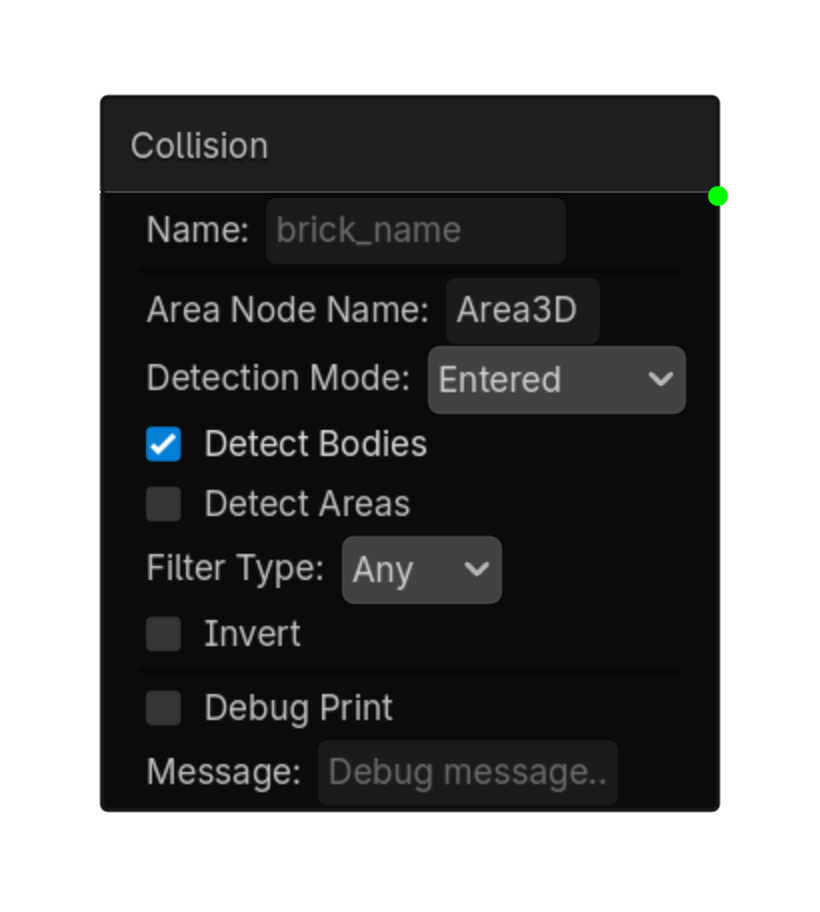
Collision
Detects collisions via an Area3D node located by name.\n\nType the node name (not the full path) into 'Area Node Name'.
Options
| Property | Details |
|---|---|
area_node_name
|
Area Node Name |
detection_mode
|
Detection Mode
Choices: Entered,Exited,Overlapping Default:
entered
|
detect_bodies
|
Detect Bodies
Default:
true
|
detect_areas
|
Detect Areas
Default:
false
|
filter_type
|
Filter Type
Choices: Any,Group,Name Default:
any
|
filter_value
|
Filter Value |
invert
|
Invert
Default:
false
|
Using this brick
Typical uses
- Start a logic chain when detects collisions via an Area3D node located by name.\n\nType the node name (not the full path) into 'Area Node Name'.
- Gate an action through a Controller so multiple conditions can be combined.
- Use it as the event or condition at the beginning of a reusable chain.
Example chain
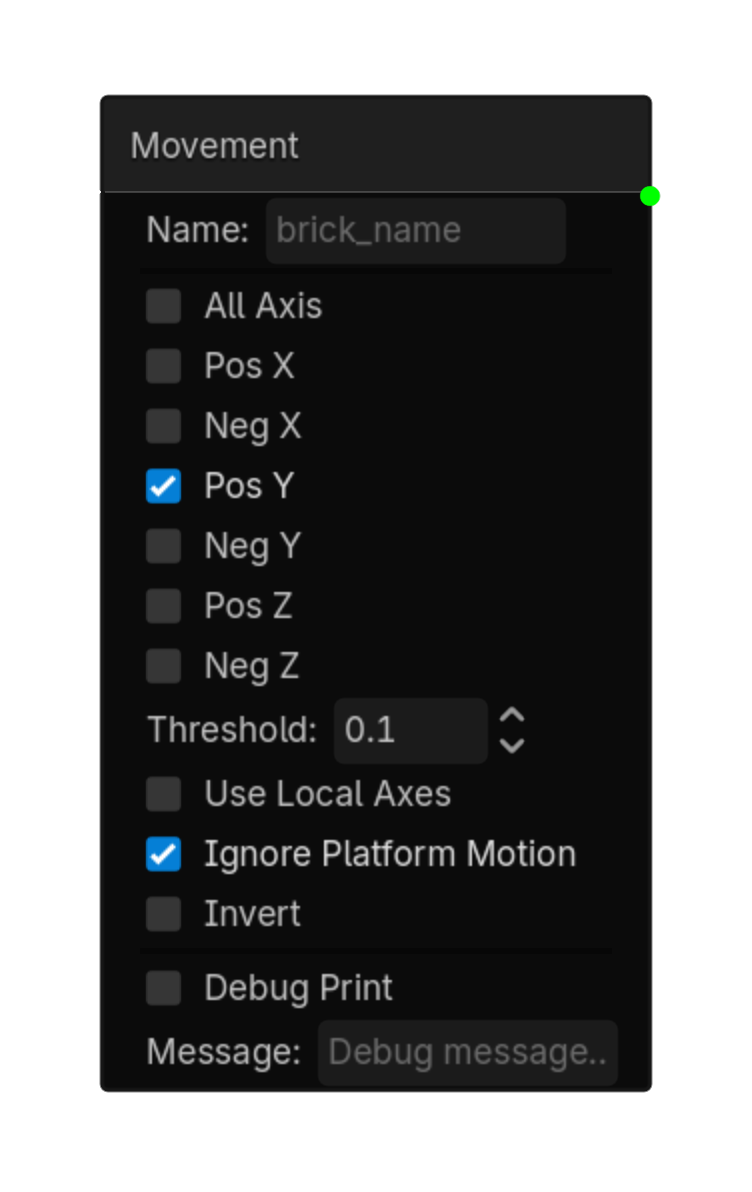
Movement
Detects if the node is moving in specific directions.\nCheck which directions to monitor.\nActive when any checked direction moves past the threshold.
Options
| Property | Details |
|---|---|
all_axis
|
All Axis
Default:
false
|
pos_x
|
Pos X
Default:
false
|
neg_x
|
Neg X
Default:
false
|
pos_y
|
Pos Y
Default:
false
|
neg_y
|
Neg Y
Default:
false
|
pos_z
|
Pos Z
Default:
false
|
neg_z
|
Neg Z
Default:
false
|
threshold
|
Threshold
Default:
0.1
|
use_local_axes
|
Use Local Axes
Default:
false
|
ignore_platform_motion
|
Ignore Platform Motion
Default:
true
|
invert
|
Invert
Default:
false
|
Using this brick
Typical uses
- Start a logic chain when detects if the node is moving in specific directions.\nCheck which directions to monitor.\nActive when any checked direction moves past the threshold.
- Gate an action through a Controller so multiple conditions can be combined.
- Use it as the event or condition at the beginning of a reusable chain.
Example chain
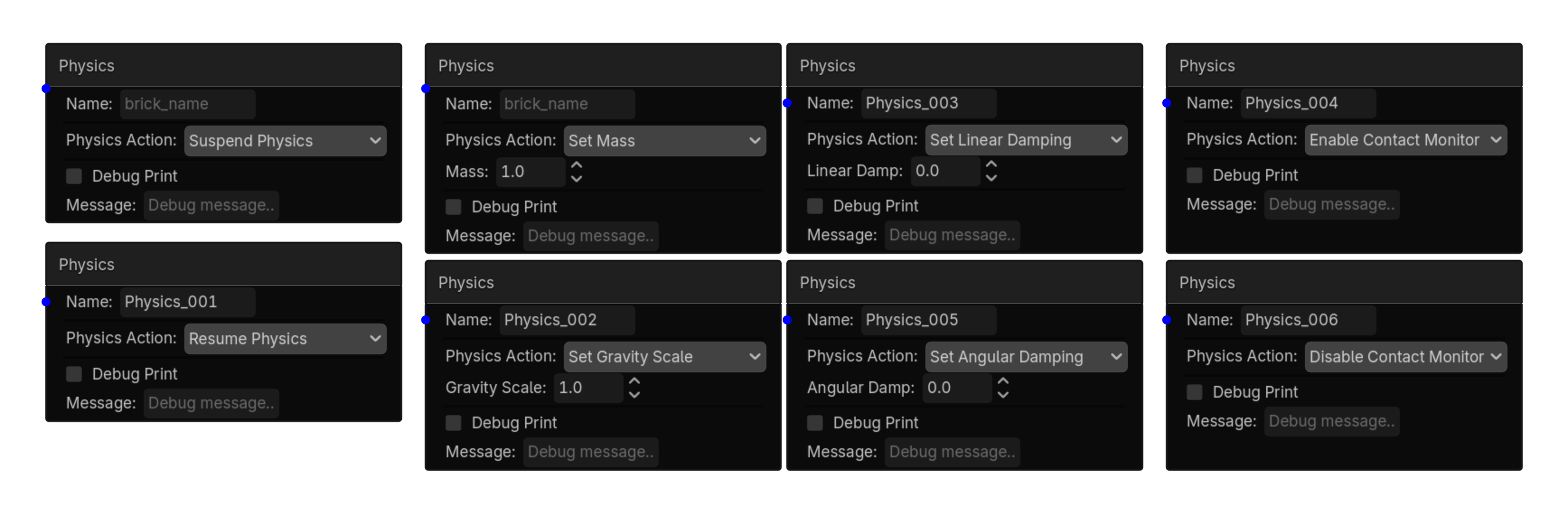
Physics
Checks CharacterBody3D collision state: on floor, on wall, or on ceiling.\nUse this for jump checks, wall checks, ceiling bumps, and platformer logic.
Options
| Property | Details |
|---|---|
contact_type
|
Contact Type
Choices: On Floor,On Wall,On Ceiling Default:
On Floor
|
invert
|
Invert
Default:
false
|
require_contact_loss_first
|
Require Contact Loss First
Default:
false
|
Using this brick
Typical uses
- Start a logic chain when checks CharacterBody3D collision state: on floor, on wall, or on ceiling.\nUse this for jump checks, wall checks, ceiling bumps, and platformer logic.
- Gate an action through a Controller so multiple conditions can be combined.
- Use it as the event or condition at the beginning of a reusable chain.
Example chain
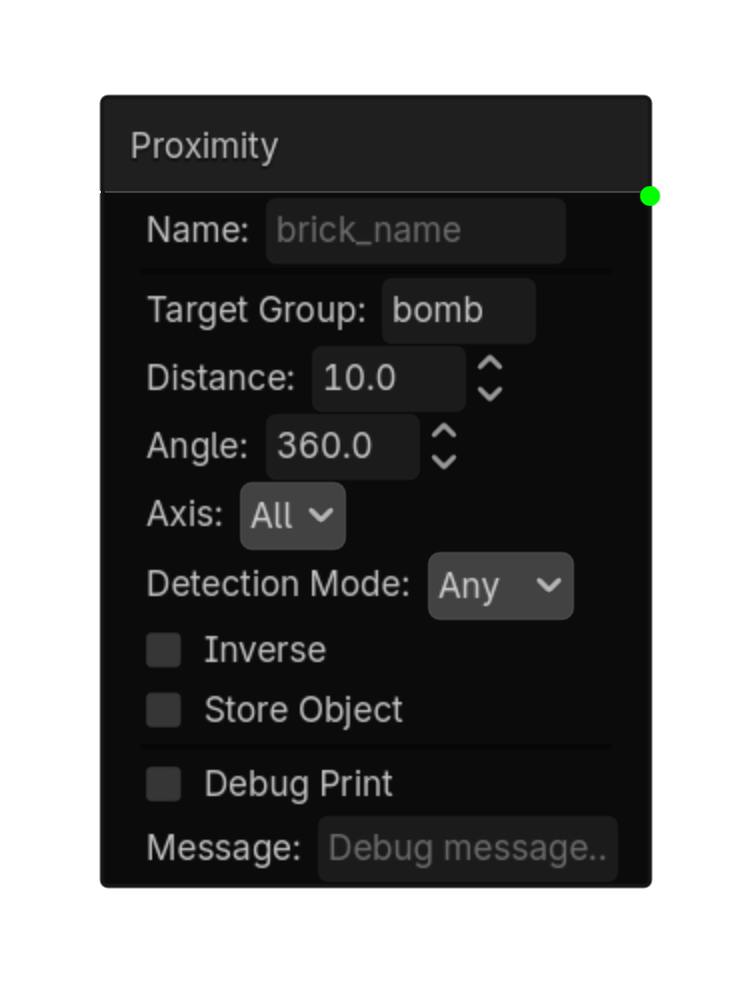
Proximity
Detects objects within a distance and optional angle.\nUses groups to filter which objects are detected.
Options
| Property | Details |
|---|---|
target_group
|
Target Group |
distance
|
Distance
Default:
10.0
|
angle
|
Angle
Default:
360.0
|
axis
|
Axis
Choices: All,+X,-X,+Y,-Y,+Z,-Z Default:
all
|
detection_mode
|
Detection Mode
Choices: Any,All,None Default:
any
|
inverse
|
Inverse
Default:
false
|
store_object
|
Store Object
Default:
false
|
object_variable
|
Object Variable |
Using this brick
Typical uses
- Start a logic chain when detects objects within a distance and optional angle.\nUses groups to filter which objects are detected.
- Gate an action through a Controller so multiple conditions can be combined.
- Use it as the event or condition at the beginning of a reusable chain.
Example chain
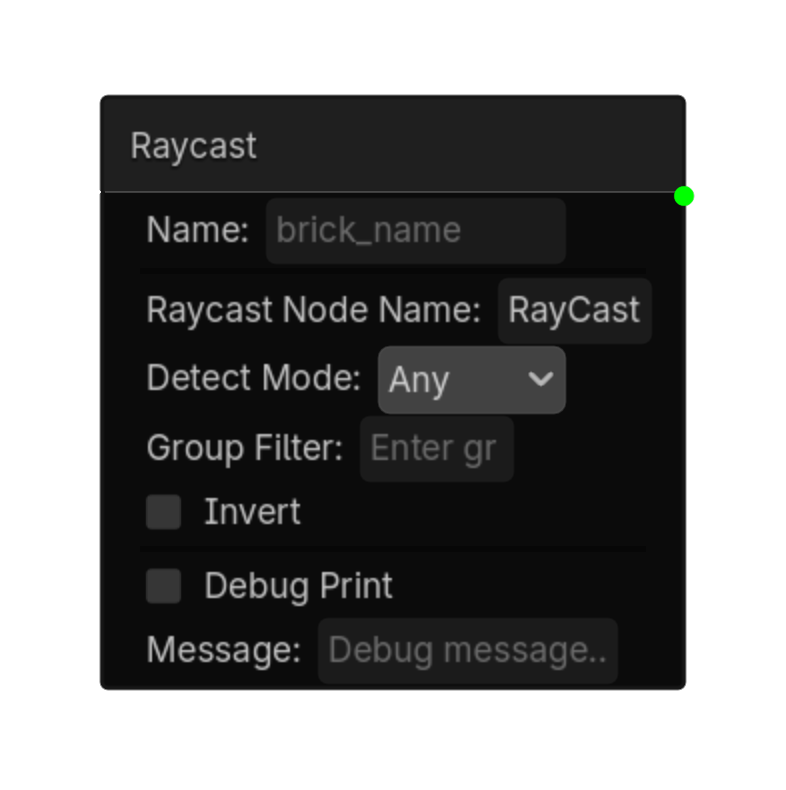
Raycast
Detects along a RayCast3D. This can be used for objects, groups, walls, ground, or ledges.\nThe RayCast3D's direction, length, and collision mask are set on the RayCast3D node itself.
Options
| Property | Details |
|---|---|
raycast_node_name
|
Raycast Node Name
Default:
RayCast3D
RayCast3D node name |
detect_mode
|
Detect Mode
Choices: Any,Group,Nothing Default:
any
|
group_filter
|
Group Filter |
invert
|
Invert
Default:
false
|
Using this brick
Typical uses
- Start a logic chain when detects along a RayCast3D. This can be used for objects, groups, walls, ground, or ledges.\nThe RayCast3D's direction, length, and collision mask are set on the RayCast3D node itself.
- Gate an action through a Controller so multiple conditions can be combined.
- Use it as the event or condition at the beginning of a reusable chain.
Example chain
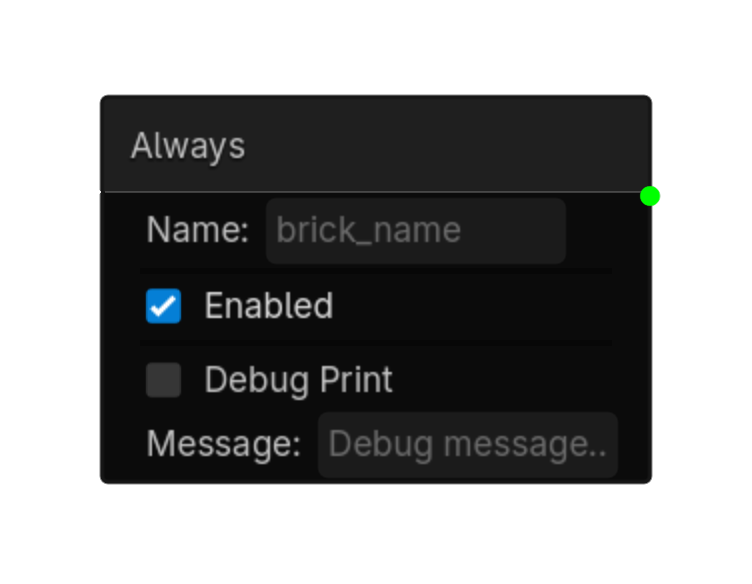
Always
Always logic brick.
Options
| Property | Details |
|---|---|
enabled
|
Enabled
Default:
true
|
Using this brick
Typical uses
- Start a logic chain when always logic brick.
- Gate an action through a Controller so multiple conditions can be combined.
- Use it as the event or condition at the beginning of a reusable chain.
Example chain
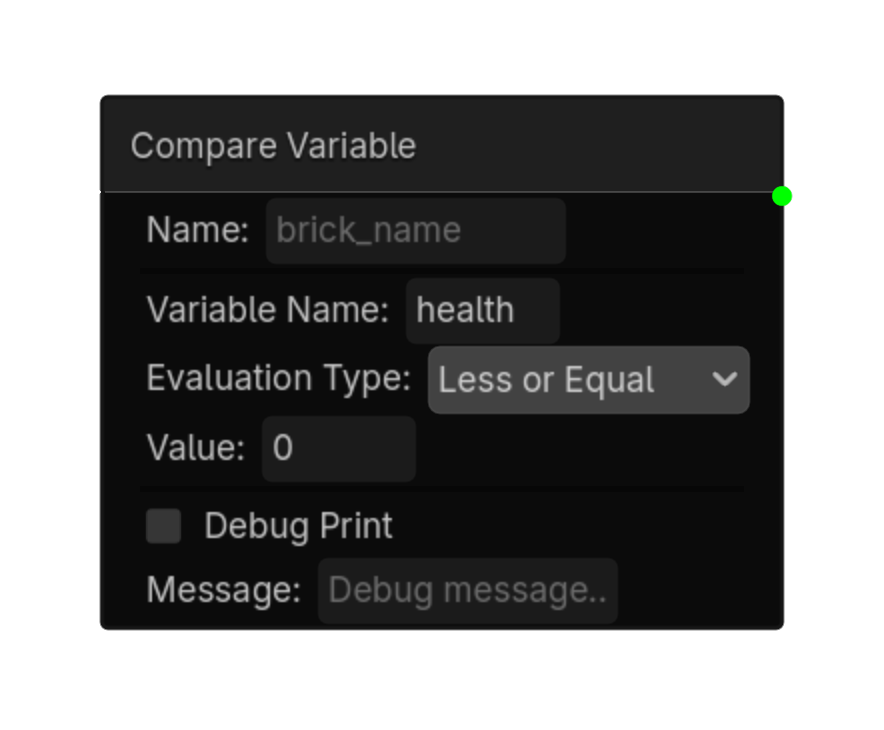
Compare Variable
Compares a variable 's value.\nWorks with local , exported, and global variables.\nAutomatically checks GlobalVars if not found locally.
Options
| Property | Details |
|---|---|
variable_name
|
Variable Name |
evaluation_type
|
Evaluation Type
Standard variable choices: Equal, Not Equal, Interval, Changed, Greater Than, Less Than, Greater or Equal, Less or Equal. Array choices (selected automatically for Array variables): Contains, Does Not Contain, Is Empty, Is Not Empty, Size Equals, Size Greater Than, Size Less Than, Changed. Default:
equal
|
value
|
Value |
min_value
|
Min Value |
max_value
|
Max Value |
item_type
|
Array Item Type
Shown for Contains and Does Not Contain. Choices: bool, int, float, String, Vector2, Vector3. |
variable_name matches an Array variable, the Evaluation Type menu changes automatically. Use Contains or Does Not Contain to test for an item, the empty checks to test whether the Array has any items, or the size checks to compare the number of items. The selected Array Item Type determines how the entered value is interpreted.
Using this brick
Typical uses
- Start a logic chain when compares a variable's value.\nWorks with local, exported, and global variables.\nAutomatically checks GlobalVars if not found locally.
- Gate an action through a Controller so multiple conditions can be combined.
- Capture or compare a value as part of variable-driven gameplay logic.
Example chain
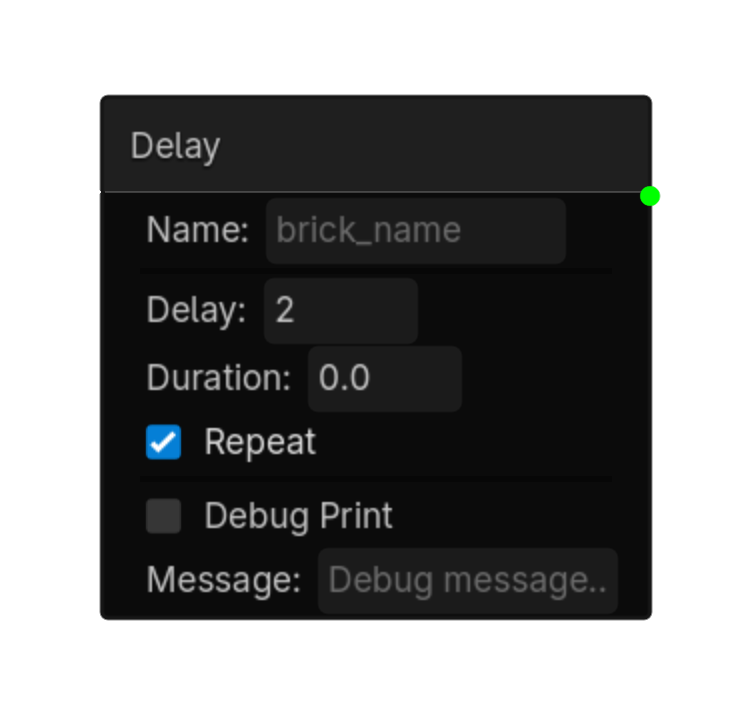
Delay
Waits for Delay seconds, then stays active for Duration seconds.\nRepeat cycles the whole sequence.
Options
| Property | Details |
|---|---|
delay
|
Delay
Default:
0.0
|
duration
|
Duration
Default:
0.0
|
repeat
|
Repeat
Default:
false
|
Using this brick
Typical uses
- Start a logic chain when waits for Delay seconds, then stays active for Duration seconds.\nRepeat cycles the whole sequence.
- Gate an action through a Controller so multiple conditions can be combined.
- Use it as the event or condition at the beginning of a reusable chain.
Example chain
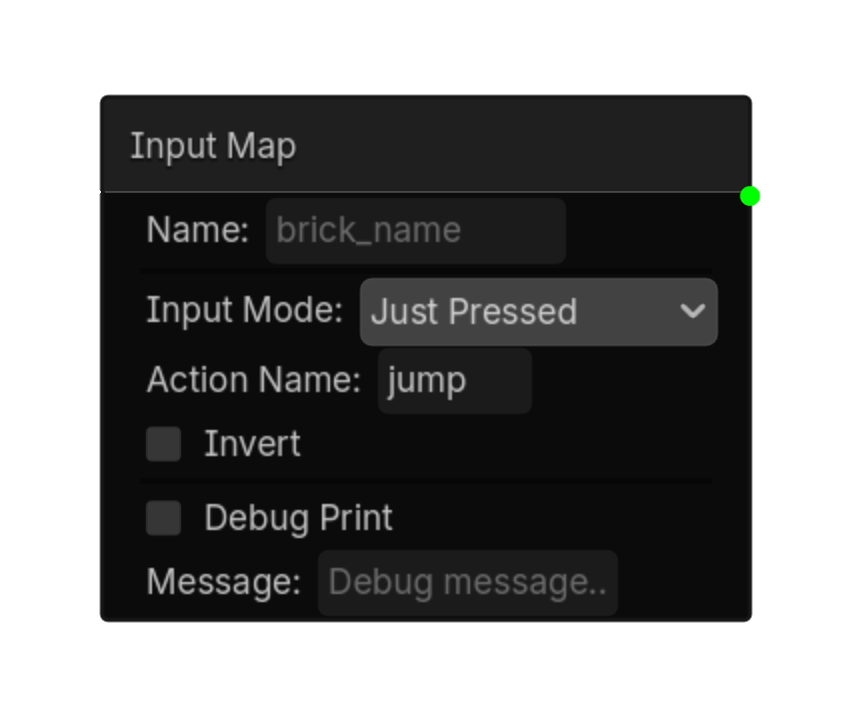
Input Map
Detects input actions from Project > Input Map.\nSupports button presses, any-action checks, and analog joystick axis input.
Options
| Property | Details |
|---|---|
input_mode
|
Input Mode
Choices: Pressed,Just Pressed,Just Released,Any Pressed,Any Just Pressed,Any Just Released,Axis Default:
pressed
|
action_name
|
Action Name
Default:
ui_accept
|
negative_action
|
Negative Action |
positive_action
|
Positive Action |
invert
|
Invert
Default:
false
|
store_in
|
Store In |
deadzone
|
Deadzone
Default:
0.1
|
Using this brick
Typical uses
- Start a logic chain when detects input actions from Project > Input Map.\nSupports button presses, any-action checks, and analog joystick axis input.
- Gate an action through a Controller so multiple conditions can be combined.
- Capture or compare a value as part of variable-driven gameplay logic.
Example chain
Mouse
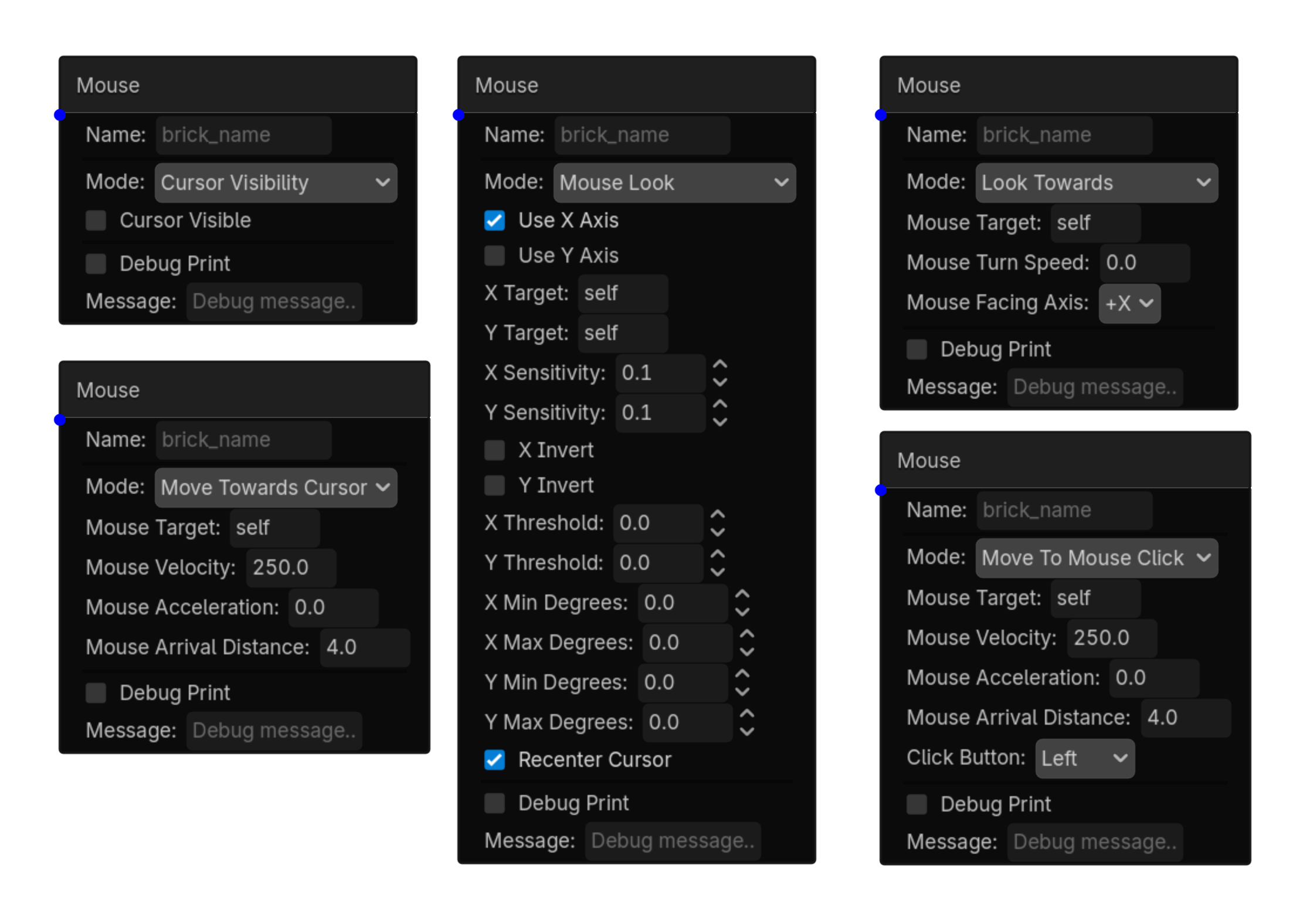
Detects mouse buttons, wheel, movement, and object hover
Options
| Property | Details |
|---|---|
detection_type
|
Detection Type
Choices: Button,Wheel,Movement,Hover Object,Hover Any Default:
button
|
mouse_button
|
Mouse Button
Choices: Left,Right,Middle Default:
left
|
button_state
|
Button State
Choices: Pressed,Released,Held Default:
pressed
|
wheel_direction
|
Wheel Direction
Choices: Up,Down Default:
up
|
movement_threshold
|
Movement Threshold
Default:
0.1
|
target_node_name
|
Target Node Name
Default:
self
|
Using this brick
Typical uses
- Start a logic chain when detects mouse buttons, wheel, movement, and object hover.
- Gate an action through a Controller so multiple conditions can be combined.
- Use it as the event or condition at the beginning of a reusable chain.
Example chain
Random
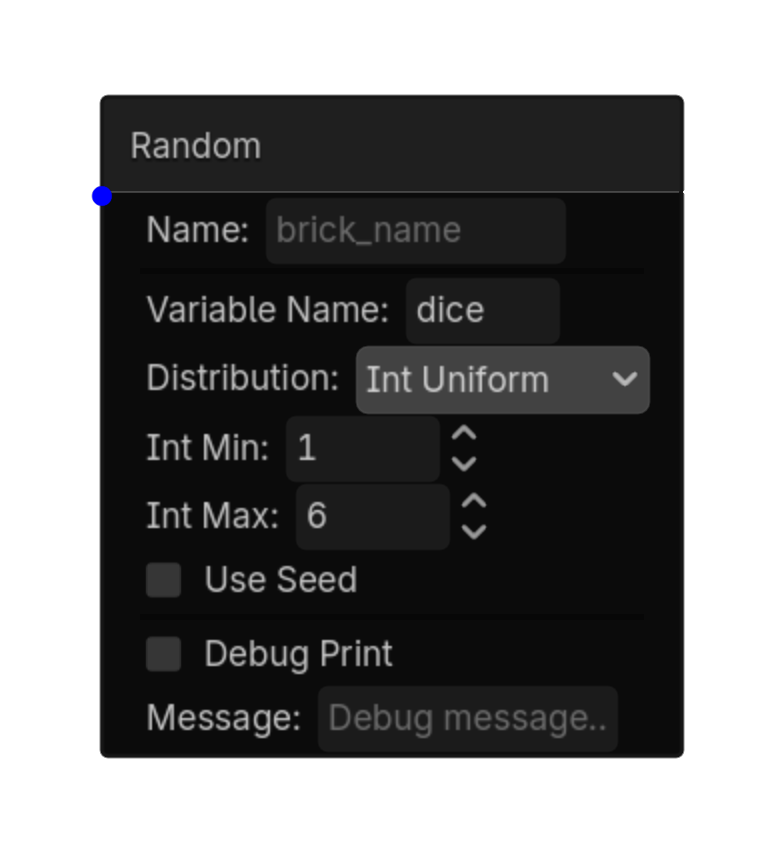
Activates randomly each time it is evaluated.\\nPair with a Delay Sensor to control how often it rolls.\\nUseful for random behaviors, AI variation, and loot rolls.
Options
| Property | Details |
|---|---|
trigger_mode
|
Trigger Mode
Choices: Chance,Value,Range Default:
chance
|
chance_percent
|
Chance Percent
Choices: 0.0,100.0,0.1 Default:
10.0
|
target_value
|
Target Value
Default:
0
|
target_min
|
Target Min
Default:
0
|
target_max
|
Target Max
Default:
100
|
use_seed
|
Use Seed
Default:
false
|
seed_value
|
Seed Value
Default:
0
|
store_value
|
Store Value
Default:
false
|
value_variable
|
Value Variable |
Using this brick
Typical uses
- Start a logic chain when activates randomly each time it is evaluated.\\nPair with a Delay Sensor to control how often it rolls.\\nUseful for random behaviors, AI variation, and loot rolls.
- Gate an action through a Controller so multiple conditions can be combined.
- Capture or compare a value as part of variable-driven gameplay logic.
Example chain
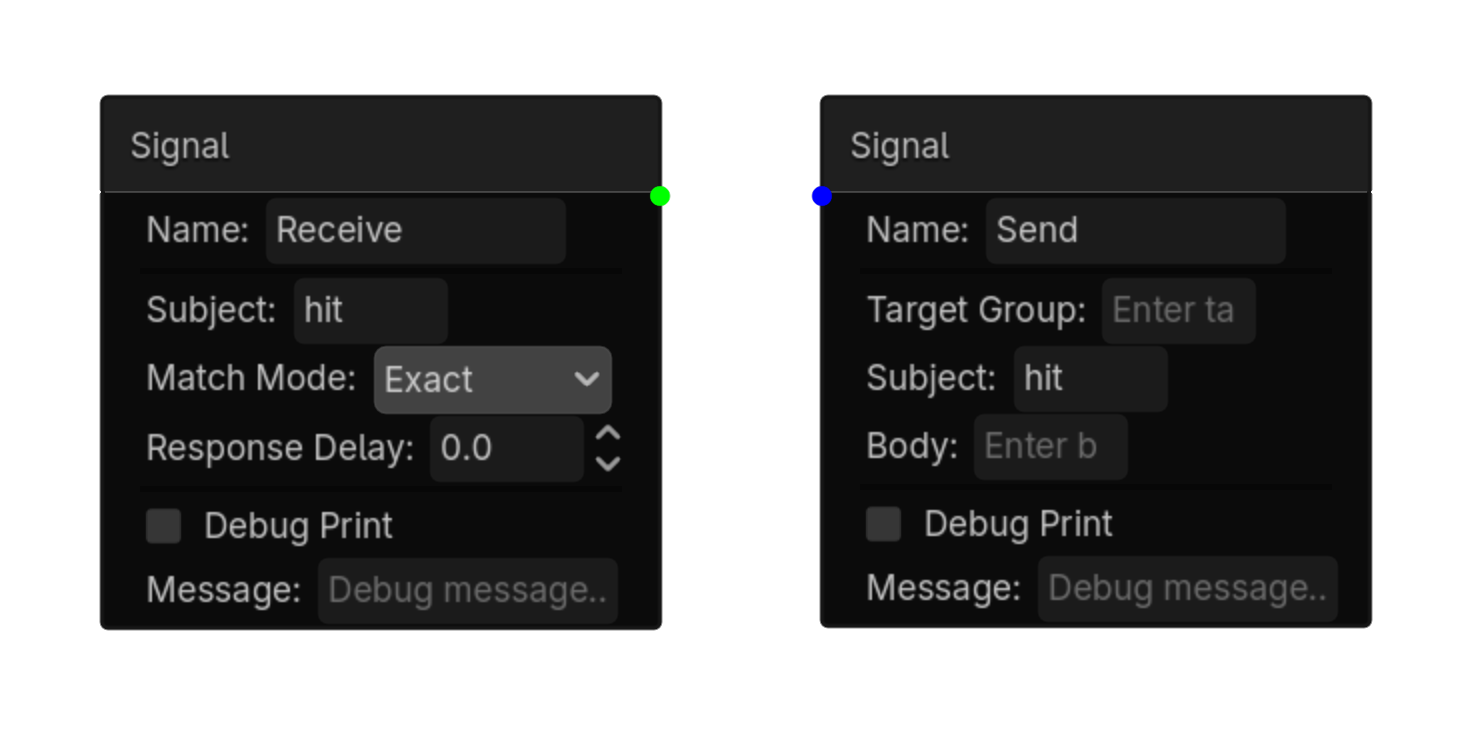
Signal
Detects signals sent by a Signal Actuator.\nListens for a specific subject.
Options
| Property | Details |
|---|---|
subject
|
Subject |
match_mode
|
Match Mode
Choices: Exact,Contains,Starts With Default:
exact
|
response_delay
|
Response Delay
Default:
0.0
|
Using this brick
Typical uses
- Start a logic chain when detects signals sent by a Signal Actuator.\nListens for a specific subject.
- Gate an action through a Controller so multiple conditions can be combined.
- Use it as the event or condition at the beginning of a reusable chain.
Example chain